Your whole production in one place. You stay in control.
Juno is the all-in-one system for your video production house: planning, call sheets, crew, gear, client portal and invoices, with a digital producer that thinks along. Built by Storyshot, a video company from Arnhem.
Ask it the way you'd ask a producer.
Juno knows your projects, crew, gear and clients. Type or say what needs doing, and you see it happen on the page.
Your producer in your pocket.
On set, in the car or between two shots. You see what's waiting for you, and what you say, Juno does.
- Talk to Juno in the app, or with your voice via ChatGPT
- Push notification when something needs you
- Confirm call sheets and tick off packing lists
- Hours, mileage and receipts from your phone
Voice works through the ChatGPT app, thanks to its connection with Juno. Android on request. Juno also works inChatGPT
Claude
From your meetings, email and WhatsApp. The agreements are already in.
Switch Juno on in a client meeting or weekly meeting, in the office or on a video call. Juno transcribes it and puts the agreements in the platform. Same with your email and WhatsApp, so nothing gets stuck with one person.
Juno reads your chats with clients and pulls out actions, just like from your email and meetings.
Or put it on autopilot.
So email doesn't get stuck with one person. Everyone on the project sees what comes in, and you don't have to forward everything.
2:30 · uploadedChecked
One company film, from first email to paid invoice.
An example: video company Studio Noordlicht is making a company film for installation firm Van Dijk. Scroll along and see what Juno handles for them at each step.
-
01 · ENQUIRY
No enquiry left waiting.
Esther's email comes in. Juno recognises a quote request and lets you know if nobody has replied after 24 hours.
-
02 · QUOTE
You know what you'll earn before you say yes.
Describe the job and Juno prepares a draft budget, with your margin per item. You check it and send it yourself. The client then approves online.
-
03 · CREW AND FEE
Your margin stays right, even when the crew is added.
Link crew to your budget lines. The day rate comes from the crew profile and your margin updates instantly. The freelancer sees their agreement in the call sheet. If the price isn't agreed yet, Juno tells you before you send the call sheet.
When the invoice comes in through your accounting, Juno checks it against the agreement and separates travel and parking from the day rate.
-
04 · PLANNING
Juno knows who's available.
Juno also looks at your other projects: who's free, and which gear is already booked on another shoot or rented out that day. If something's missing, Juno suggests renting it from a rental house like Maloney. Then the shoot day is in everyone's calendar and the packing list is ready.
-
05 · SHOOT DAY
The call sheet is ready before the crew asks for it.
One link with address, call times and schedule. If anything changes, everyone it affects hears right away.
-
06 · EDIT
Juno spots a tight deadline weeks in advance.
Juno works back from the delivery date. If it gets tight, you hear right away.
Start editing sooner? See Juno Cut ↓ -
07 · DELIVERY
The client watches, comments and approves in one place.
Esther gives feedback on timecode. She doesn't see your internal notes, and you see whether she actually watched the video.
-
08 · INVOICE
Every shoot day makes it onto the invoice.
Juno puts everything ready to invoice in one list. One click and the invoice is ready in your accounting.
Juno remembers everything, from the first email to the last invoice. You never have to retype anything.
Join the waitlistMore time for the people you film with.
Storyshot makes video with real people and real stories. We build Juno with the same idea: the dull work goes to Juno, the contact stays with you.
Storyshot's motto. That's why Juno handles the work around it, and the contact with your client and crew stays with you.
Built by a video company. For video companies.
I'm Thomas Blanken from Storyshot. Our company was spread across Excel, WhatsApp, loose folders and mostly my head. So I built Juno, the colleague I wanted myself. Storyshot has run on it every day since May 2026.
- projects moved over from Notion in one go
- 300+
- emails read by Juno since May
- 2.448
- items of gear with serial numbers
- 156
Got a question? You talk to me, not a helpdesk.
Juno thinks in videos and shoot days.
A general planning tool only knows tasks and deadlines. Juno also knows versions, call sheets, packing lists and release forms, and creates tasks itself from your email and meetings. Everything for one production hangs off one project.
Never forget anything on a shoot day again.
Juno has its own rental system built in. You manage all your gear in one place, Juno prepares the packing list for each shoot day and you tick off in the app what goes along. Everything you add is instantly available to rent on your own website. One more thing you no longer have to keep track of.
Tick off what goes in the van.
Tap an item or scan its sticker. You see at a glance what's still missing.
All your gear, and where it is.
What you add is instantly up for rent.
From request to invoice, without a separate system.
Book gear for a shoot day and it's not available to rent that day. So you never double-book again.
Quote, client portal, review and app. Try them yourself.
A quote that shows whether it's being read.
Quotes from your own packages and cases. The client chooses online, and you see who opens it and for how long.
Browse the slides or click "I want this".
One link for the whole collaboration.
One link for the client, with scripts, schedule, the shoot day and videos. The portal changes with each phase.
Feedback on the frame. With a drawing.
The client draws on the image and types what they mean. You also see what changed since the previous version.
Click a comment.
On set too, on your phone.
Your team's own app, with call sheet, directions, notifications and Juno always at hand.
59 functies, per fase van een productie.
What you enter in one place, Juno uses everywhere. The logos show which separate tool it replaces.
Missing something? Let us know. What you need, we build.
Juno plays well with others.
Email, calendar, WhatsApp, accounting, Premiere and AI. What you do there lands in Juno automatically.
Your calendar
Add an appointment to your own calendar and Juno links it to the project, the gear or the client. Freelancers see their shoot days in their own calendar.
DIJKProject Van Dijk company filmexisting client · ST-1412DAY 2Shoot day Fri 17 Octcall sheet createdLinked to the projectPush notification: is this the right project?
Google Maps
Your crew sees in the call sheet how long the drive is to the job and between locations, from their own home.

Premiere Pro, via Juno Cut
Juno Cut builds timelines in Premiere and reads your client's feedback from Juno.
Any AI assistant
Through our MCP connection, any AI assistant, such as ChatGPT or Claude, can talk to Juno and get to work for you.
Also works with
Your email
Juno pulls out enquiries and agreements.WhatsApp
Call sheets and client updates via WhatsApp.- Your accounting
Moneybird directly, Exact and SnelStart on request. Zapier
Thousands of other apps.- Open API
Connect your own tools. Juno Live already uses it.
Your old projects come along.
Import projects, tasks, crew and clients in one click from what you use now. So you're working in Juno the same day. Want help setting up? Thomas will do it with you.
The strongest moments from your interviews, ready in Premiere.
Juno Cut is a Mac app for editors. It finds the strongest moments in your interviews, so you don't miss a quote or storyline. You steer, see a preview first, and then you edit. The searching goes to Juno, the choices stay yours.
Builds your timeline in Adobe Premiere Pro
Juno Cut also works without the platform. On request, Juno passes your project to Juno Cut, including the client's wishes.
For macOS (Apple silicon) and Adobe Premiere Pro · Dutch and English · Now in beta, by invitation
Juno Cut reads your client's feedback.
Feedback from the client portal arrives in Juno Cut and is ready in a copy of your timeline. You review and decide.
Your data stays in the EU, in your own environment.
Your own environment. Every company gets its own environment at yourcompany.junohq.app. Nothing is shared with other customers.
Data in the EU. Your data is stored on Hetzner servers in Germany.
Juno only works for you. We don't look at your data and never use it to train AI. If you want help setting up, Thomas only looks with your permission. Beyond that we only see anonymous usage statistics.
AI by Anthropic. The AI features use Claude from US-based Anthropic. Juno only sends the text that's needed. Anthropic doesn't train AI on it and deletes it within 30 days. Your database and files stay in Germany.
Access by role. Owner, project manager, employee, freelancer and client each see only what belongs to their role. Sign-in supports two-factor authentication.
Be the first to know when Juno opens.
We’ll keep you updated on pricing and the first early-access spots.
Join the waitlistThe first round starts with five production companies. Signing up registers your interest; a spot is not yet guaranteed.

You stay in control.
Questions you probably have
01How hard is it to switch?
Quick. You import projects, clients and crew in one click, so you're working in Juno the same day. If you want help setting up, I'll do it with you.
02Can I bring my existing data?
Yes. We import projects, tasks, crew and clients from Excel, Google Sheets, Notion, Trello, Asana, monday.com, ClickUp, Airtable or a CSV file. Clients and contacts come over from Moneybird once you connect it.
03Does it work with my accounting software?
Moneybird works directly. We connect Exact Online, SnelStart, e-Boekhouden.nl, Twinfield, Yuki, Visma eAccounting, Informer, Jortt and WeFact on request, if your software has an API. Mention it in your request and we'll have it ready before you start.
04Is there a phone app?
Yes. There's a dedicated app for your whole team, now on iPhone. Android on request. You use it to run the platform, get push notifications and talk to Juno. Juno also works in the browser on your phone.
05Does it work with freelancers?
Yes. Freelancers get their own login and only see their own jobs, brief and call sheet. Your numbers and internal notes stay hidden. They don't count as an account.
06How much storage do I get?
We’ll announce pricing later. Sign up to hear first.
07Does it cost extra if I ask Juno a lot?
We’ll announce pricing later. Sign up to hear first.
08Does Juno do things without me knowing?
No. Small things you can undo, Juno does right away when you ask, with a button to undo them. Anything to do with money, deleting or the client, Juno checks with you first.
09Where is my data, and what about GDPR?
In your own environment, on servers in Germany. We sign a data processing agreement with you. We don't use your data to train AI and we don't read along. To answer your questions, Juno sends individual snippets of text to an AI service; that's in the data processing agreement, with every service we use and where it's based.
10Can I get my data out?
Yes. Your data is yours. On request you get a full export within 14 days: your database and all your files.
11What's coming next?
Juno runs at Storyshot every day and we keep building every week. What isn't there yet is marked "on request" on this page. If you need it, I'll build it. As an early access customer you help decide what comes first.
12What if Juno shuts down?
Then you'll hear at least three months in advance and get a full export of all your data and files. Storyshot runs on Juno itself, so stopping wouldn't be a small step for us either.
13Can Juno use our own branding?
On request. Your client portal, emails and call sheets then get your own logo, colours and fonts. It's a separate service with its own price, which we discuss in the call.
14I use Rentman or Frame.io now. What then?
Juno does what a video company needs from them: gear with serial numbers, packing lists, your own rental site, and a review player where your client comments and draws on the frame. The difference is that in Juno it's all tied to the same projects, shoot days, crew and invoices. You move your equipment list over with an Excel or CSV export. Not sure whether something you use now is included? Ask in the demo and I'll show you.
15We work in Notion now. Why switch?
Storyshot used Notion itself. There you build everything yourself: databases, templates, integrations. Juno already knows what a shoot day, call sheet, version or release form is, and links them together. On top of that, Juno does what Notion doesn't: read your email, send the call sheet to your crew, give your client a portal, rent out gear and invoice. You import your Notion databases in one click.
Also for livestreams, other businesses and custom builds.
Video remains our foundation. Storyshot carries on with a permanent team, and Juno for video companies comes first.
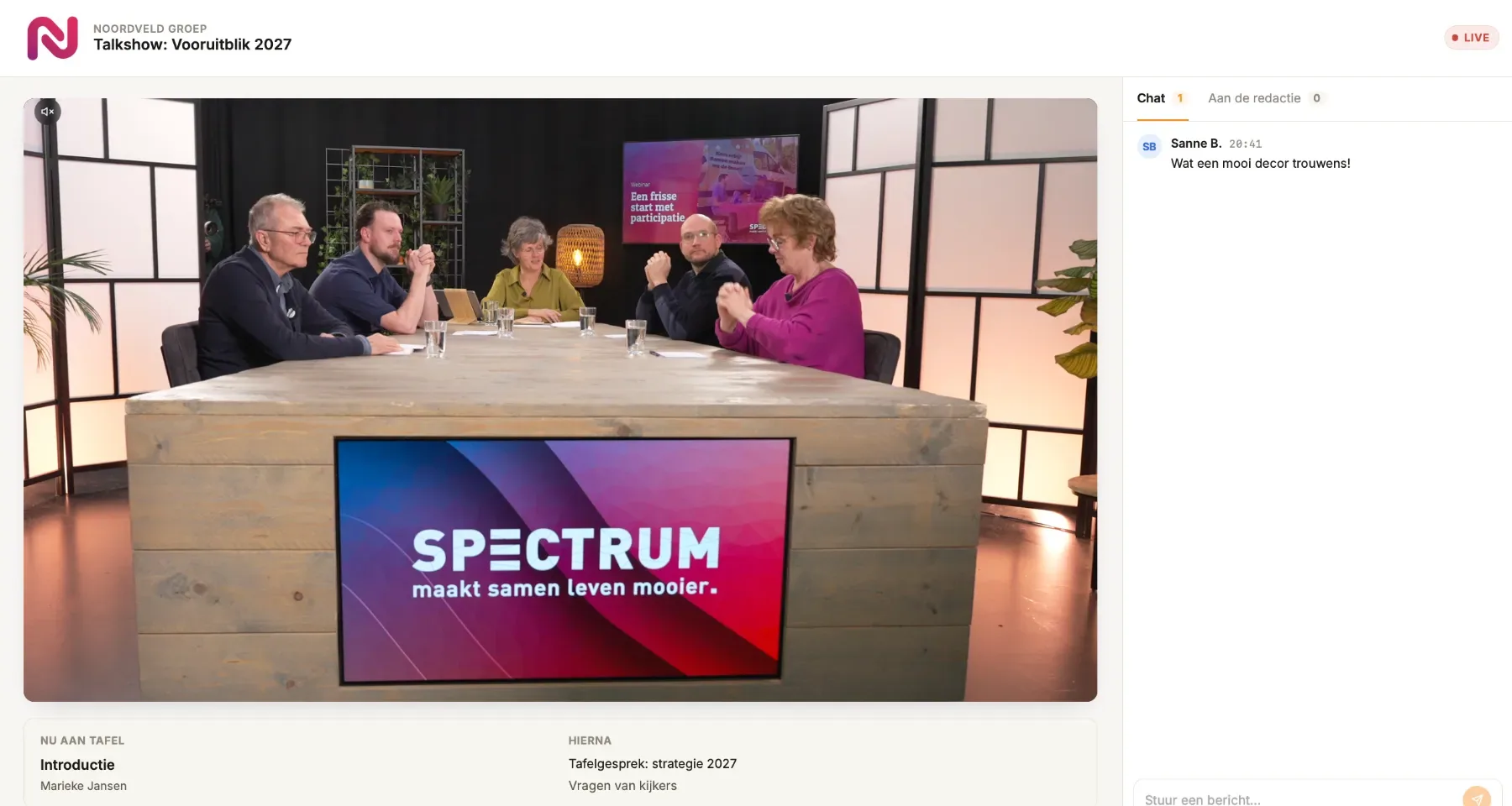
Livestreams from one rundown.
Rundown, stage timer, viewer page and graphics to your ATEM from one source. For studios, production houses and companies.
Not a video company? Juno works for you too.
The same engine that pulls actions from your email, WhatsApp and meetings, with quotes, presentations, budgets and planning. We're building it with a small group of first users.
Your own version, built for your company.
For example, we built a learning environment with custom practice games for a motorcycle driving school. We take on a few of these projects a year. We discuss pricing after an introduction.